
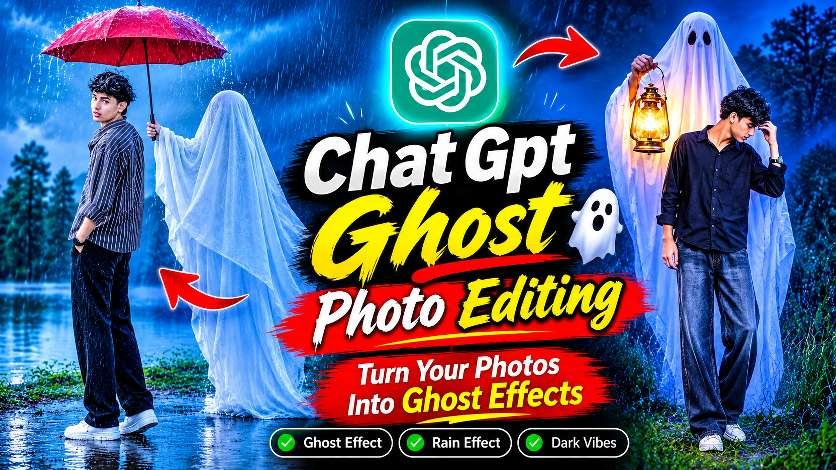
AI photo editing has completely changed the way people create creative and attractive photographs. One of the most interesting trends is AI Ghost Photo Editing, which allows users to transform simple pictures into mysterious, cinematic scenes. From a ghost holding an umbrella to a person standing in a rainy forest, these effects can make an ordinary photograph look like a movie scene.With ChatGPT AI image editing, you can explore different ghost photography concepts without spending hours using professional editing software. Whether you want a scary photograph, a cinematic portrait, or a unique Instagram post, this editing style offers plenty of creative possibilities.In this guide, you will learn about different AI ghost editing styles, how to create them, and how to improve the final image quality.
Explore the New AI Ghost Photography Trend
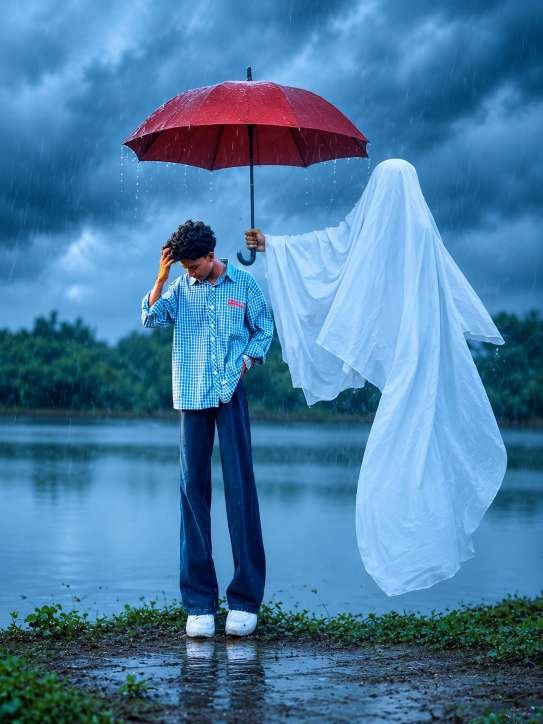
Ghost photography is becoming an interesting creative concept among Instagram users and AI photo editing enthusiasts. The idea is to combine a normal human portrait with supernatural visual elements to create a dramatic composition.Imagine standing on a rainy road while a mysterious white ghost holds a red umbrella behind you. The dark blue sky, falling raindrops, wet ground, and cinematic atmosphere make the image look like a scene from a supernatural movie.Unlike traditional photo editing, AI can generate several visual elements together. You can experiment with different ghost positions, backgrounds, lighting styles, and camera perspectives to create your own unique photograph.
Creative Ghost Effects You Can Generate with AI
There are many ways to experiment with AI ghost photography. Each style creates a different visual experience.
White Sheet Ghost:
Create a mysterious character covered in a flowing white cloth. Realistic fabric folds and shadows make the ghost look more natural
.Rainy Umbrella Scene:
Add a red umbrella, heavy rainfall, and a cinematic outdoor environment. This combination creates a dramatic and emotional atmosphere.
Ghost Behind the Subject:
Place a mysterious ghost behind your original character while keeping the main subject clearly visible.
Haunted Forest Effect:
Transform a simple outdoor portrait into a dark forest scene with fog, trees, and mysterious blue lighting.
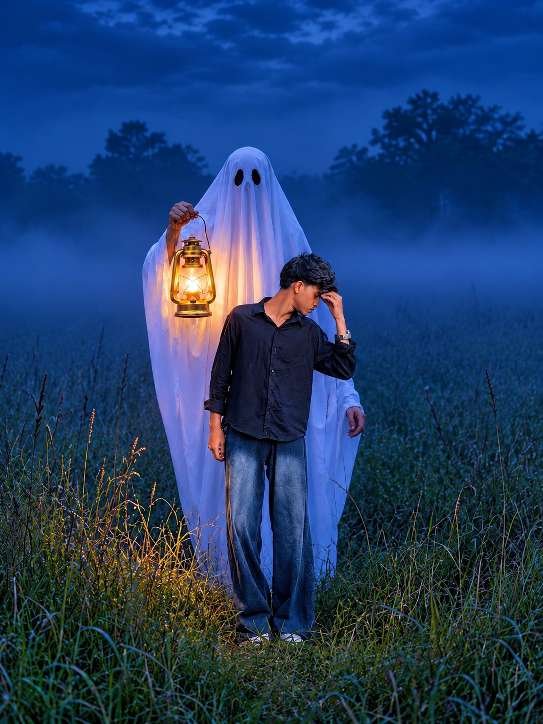
Lantern Ghost Photography:
Add a glowing vintage lantern to create a beautiful contrast between warm golden light and a cool blue background.These effects can help you create different photographs for your social media profiles.
How to Make a Cinematic Ghost Photo with ChatGPT
You can create this type of photograph using ChatGPT’s available image creation and editing features.
Follow these simple steps:
- Open ChatGPT on your mobile phone.
- Select the image creation or editing feature.
- Upload a clear photograph from your gallery.
- Explain the ghost photography scene you want to create.
- Describe the background, ghost appearance, umbrella, rain, and lighting.
- Ask the AI to preserve your original facial identity and natural appearance.
- Generate the image and check the final result.
- If something does not look right, give additional editing instructions.
For a better result, use a high-resolution photograph with a clearly visible face. You can also upload a full-body image if you want the AI to create a complete cinematic environment.
Make Your Ghost Photos More Realistic and Attractive
The quality of an AI-generated photograph depends on how clearly you describe the desired result.First, focus on identity preservation. If you are using your own photograph, instruct the AI to maintain your original face, hairstyle, skin tone, facial structure, and body proportions.Second, describe the environment in detail. Instead of simply asking for a scary background, explain that you want a rainy forest, dark blue clouds, wet ground, distant trees, and realistic reflections.Lighting is equally important. A combination of cool blue cinematic lighting and subtle warm lantern illumination can create an attractive visual effect.Finally, pay attention to the positioning of the ghost. It should look naturally connected to the scene rather than appearing like a separate sticker pasted onto the photograph.
Download preset ⬇️
Final Thoughts
ChatGPT AI Ghost Photo Editing is an exciting creative trend that gives everyone an opportunity to experiment with cinematic photography. You can create mysterious white ghosts, rainy umbrella scenes, haunted forests, and dramatic lantern lighting using simple image editing instructions.The best part is that you can try different concepts with your own photographs and explore multiple visual styles. You do not need professional editing experience to get started.For the most attractive results, always use a clear original photograph, provide detailed instructions, and focus on realistic lighting and natural composition.Try this AI ghost photography trend, create your own spooky cinematic masterpiece, and share your favourite edits with your friends and followers.