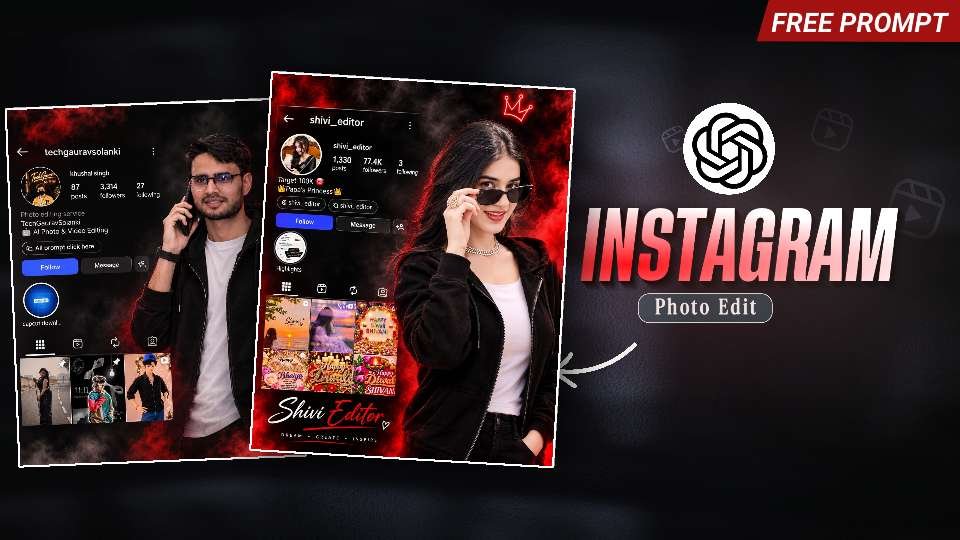
Instagram is becoming more creative every day, and one of the latest trends attracting attention is Instagram DP Photo Editing with ChatGPT. Many Instagram creators and photo editing lovers are using AI technology to transform their normal pictures into stylish, professional-looking portraits. These edited photos are getting attention on Instagram Reels, Stories, and posts.ChatGPT makes AI photo editing easier for everyone, even if you don’t have professional editing skills. You can upload your photo, describe the editing style you want, and create an attractive AI-generated image. From cinematic backgrounds to stylish outfits and professional portrait effects, there are many creative possibilities to explore.In this article, we will explain how the ChatGPT Instagram DP photo editing trend works, how you can create similar images, and why this editing style is becoming popular among Instagram users.
What Is Instagram DP Photo Editing with ChatGPT?
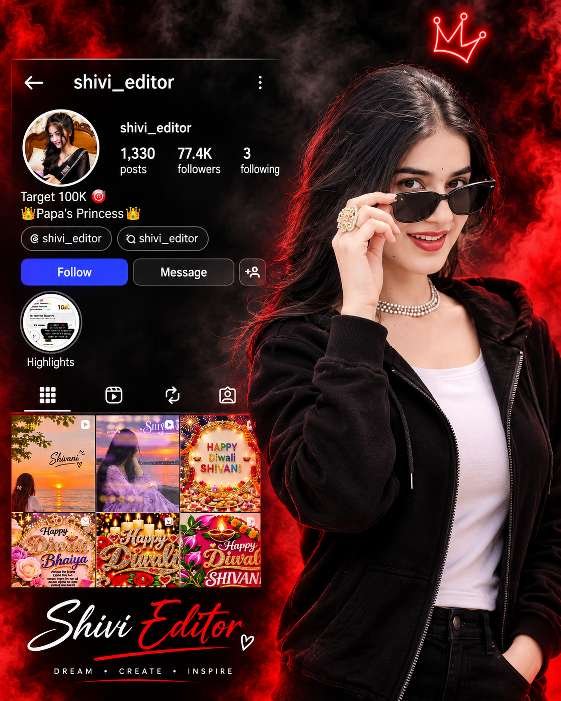
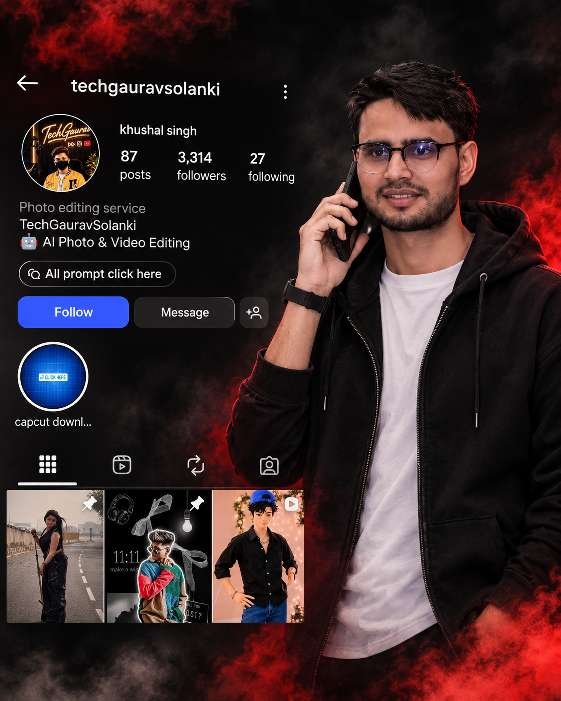
Instagram DP Photo Editing with ChatGPT is a creative AI photo editing trend in which users transform their regular photographs into attractive profile pictures. Instead of spending hours editing pictures manually, users can take advantage of AI technology to create different photography styles.This trend is especially popular among Instagram creators who want their profile pictures to look unique and professional. People are experimenting with different backgrounds, stylish clothing, cinematic lighting, and creative portrait designs.The best thing about this editing technique is that you don’t need advanced knowledge of Photoshop or other complicated editing applications. ChatGPT helps users create creative photo transformations with simple instructions.You can create different styles depending on your preference, including modern portraits, professional profile pictures, cinematic photography, and stylish social media images.
How to Create Viral Instagram DP Photos Using ChatGPT
Creating an AI-edited Instagram DP is very simple. You don’t need professional editing software or complicated techniques.
Follow these steps:
- Open ChatGPT on your mobile or computer.
- Upload your original photo.Enter your Instagram DP photo editing prompt.
- Clearly describe the background, lighting, style, and design you want.
- Ask ChatGPT to preserve your original face and identity.
- Generate your AI photo and save the result.
Make sure you use a clear, high-quality original photo for better results.
Why Is ChatGPT Instagram DP Editing Going Viral?
AI photo editing is becoming a major trend on social media because it allows ordinary users to create impressive visual content.Instagram creators are constantly searching for new ways to make their profiles attractive and increase engagement. Stylish AI-generated portraits provide an interesting way to refresh an Instagram profile picture and create unique social media content.Another reason behind this trend is its simplicity. Previously, creating professional-looking portraits often required advanced editing applications and considerable editing experience. Now, AI tools are making creativephotography more accessible.People are sharing their edited photographs through Instagram Reels, posts, and stories. Before-and-after editing comparisons are also popular because they show how an ordinary photograph can be transformed into a completely different visual style.This trend is useful for content creators, influencers, photo editors, and anyone who enjoys experimenting with new AI photography techniques.
Final Words
Instagram DP Photo Editing with ChatGPT is an exciting way to explore modern AI photography. Whether you want a professional profile picture, a cinematic portrait, or a stylish social media photograph, ChatGPT offers creative possibilities for transforming your pictures.You don’t need to be a professional photo editor to experiment with these designs. With a good-quality original photograph and clear editing instructions, you can create attractive images and explore different photography styles.If you enjoy Instagram photo editing trends, this is definitely a technique worth trying. Create your favorite AI portrait, update your Instagram profile picture, and share your results with your friends and followers.Keep experimenting with new AI photo editing trends and discover creative ways to make your Instagram profile stand out!